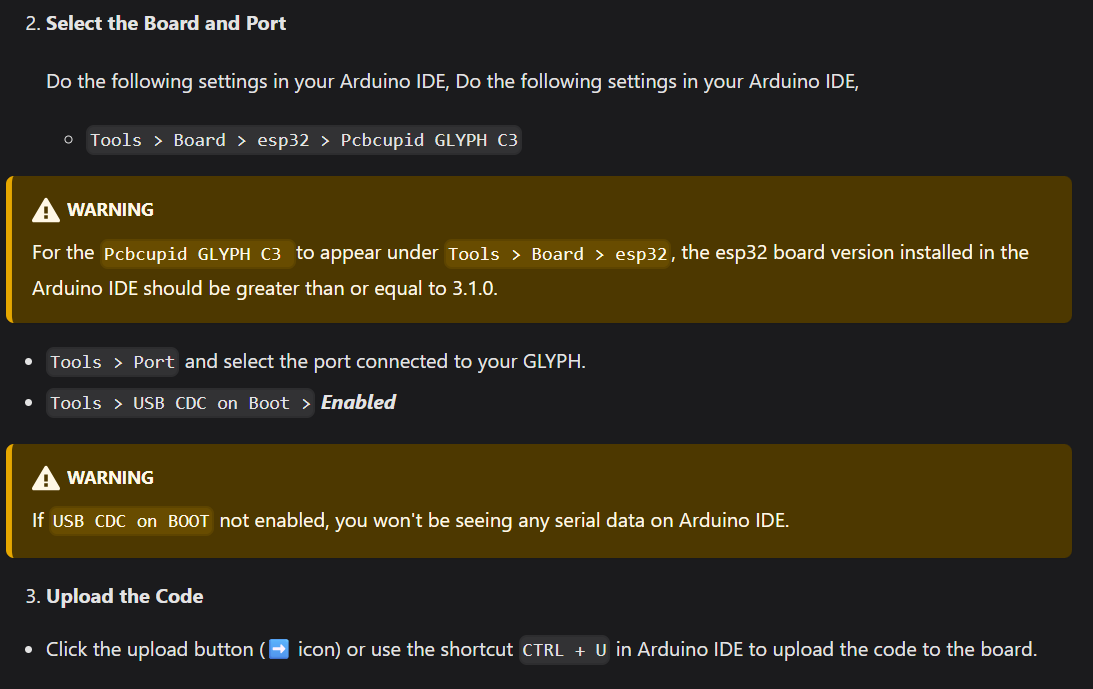
I am able to flash the program to the glyph c3 but it is not printing anything on serial.
// Define the baud rate for serial communication.
// This should match the baud rate set in your Arduino IDE Serial Monitor (e.g., 115200).
const long BAUD_RATE = 115200;

void setup() {
  // Initialize the Serial port for communication.
  // The argument is the baud rate.
  Serial.begin(BAUD_RATE);

  // Wait for the serial port to connect.
  // This is especially important for native USB ports like on the ESP32-C3,
  // to ensure the host computer is ready to receive data.
  while (!Serial) {
    // Optional: Add a small delay if needed, though often unnecessary
    // for subsequent calls once connected.
    delay(10);
  }

  // Print a one-time message to confirm setup completion.
  Serial.println("\n--- Serial Test Program Started ---");
  Serial.print("Baud Rate: ");
  Serial.println(BAUD_RATE);
}

void loop() {
  // Print a message every time the loop executes.
  Serial.print("Status: Working! Time since boot (ms): ");
  Serial.println(millis()); // 'millis()' returns the number of milliseconds since the program started

  // Wait for 1000 milliseconds (1 second) before repeating the loop.
  delay(1000);
}
I have tried other serial monitor such as VS code extension, minicom and Arduino IDE inbuilt serial window.